Are Your Workstation Ergonomics Set Right?
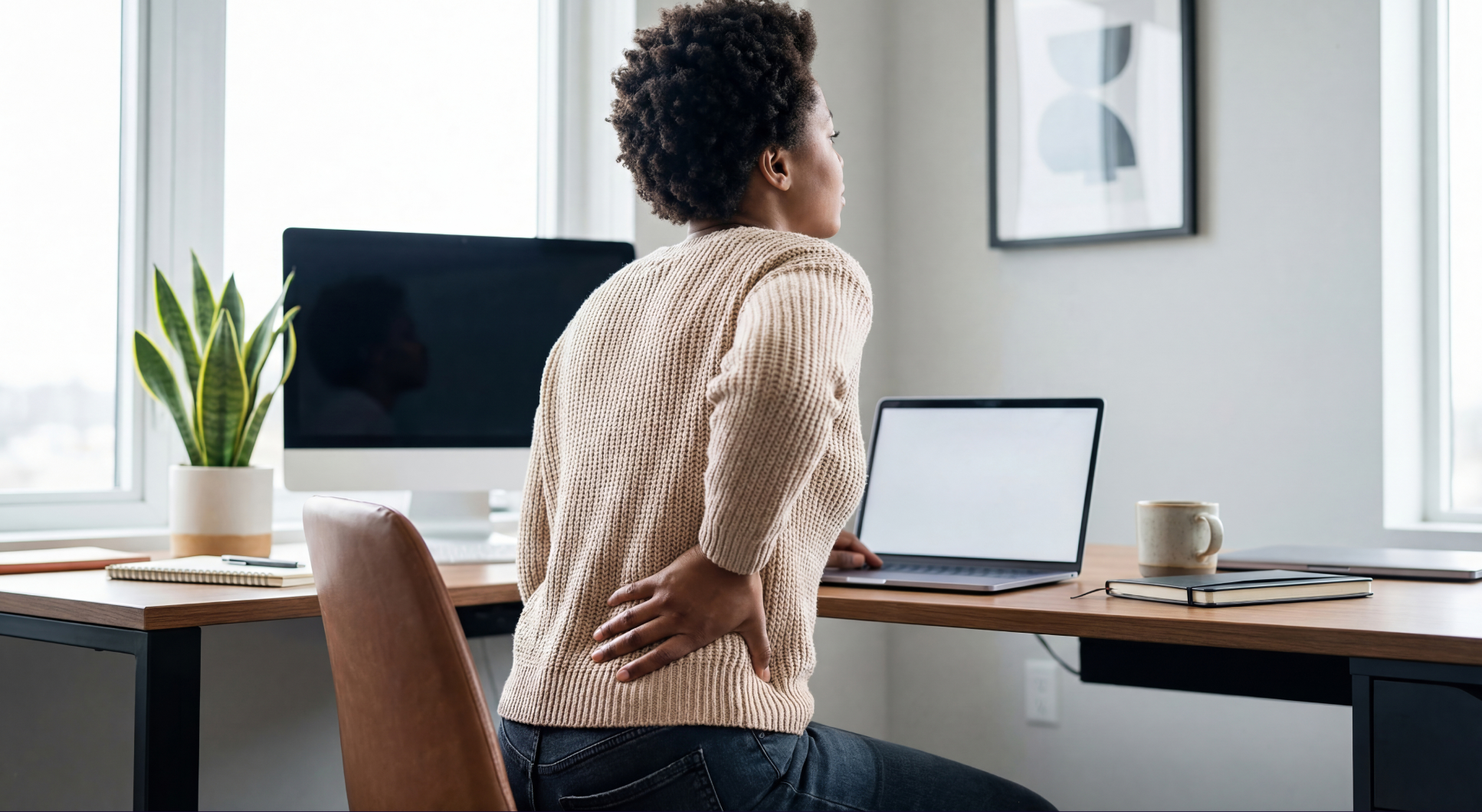
That stubborn backache, the stiff neck, the eyes that feel like they've worked a double shift by 3 p.m, and let's not forget the posture that's slowly turning you into a question mark...
You know what's causing it. But somehow, you've managed to lock the obvious suspect in a chamber of denial and throw away the key.
Meanwhile, you're sitting with one leg tucked underneath you, shoulders practically touching your ears, and your neck stretched toward the monitor as though the screen owes you money.
And the funniest part? You might be sitting exactly like that while reading this.
It's time we talked about workstation ergonomics. Don't worry, there will be no complicated anatomy lessons, simply a discussion about what you've been doing to that poor spine of yours.
First, What Exactly Is Workstation Ergonomics?
Ergonomics sounds like something that requires a measuring tape, a degree in engineering, and a very serious PowerPoint presentation.
Fortunately, it's much simpler.
According to the CDC's National Institute for Occupational Safety and Health, ergonomics involves designing work tasks and environments around people's physical capabilities.
In other words, your workstation is supposed to fit you.
Think about it. You wouldn't buy shoes three sizes too small and spend every day trying to convince your feet to adapt.
Yet, somehow, we accept uncomfortable workstation arrangements and assume the occasional backache is simply part of having a desk job.
It doesn't have to be.
The First Key to Proper Ergonomics: Your Office Chair
Let's start with the chair you've been sitting in for months.
Have you ever adjusted it?
And no, spinning around in it while thinking doesn't count.
Your chair should support your back, allow your feet to rest comfortably, and let your shoulders relax while you work.
Mayo Clinic's office ergonomics guide recommends a few simple adjustments:
-
Support your back. Your lower back should have proper support from the chair.
-
Give your feet somewhere to land. Keep them flat on the floor or use a footrest.
-
Relax those shoulders. Adjust your chair and armrests so your elbows can stay comfortably near your body.
And if your feet are dangling in the air every time you raise your chair to reach the keyboard?
That's a problem worth fixing.
Why Are You Chasing Your Computer Screen?
Here's a little experiment.
Sit comfortably in your chair and look straight ahead.
Can you see your monitor without bending your neck, tilting your head backward, or leaning toward it as though it's about to reveal a secret?
If not, we have another suspect.
The Occupational Safety and Health Administration (OSHA) recommends placing your monitor directly in front of you, generally around 50–100 cm away, with the top of the screen at or slightly below eye level.
A few other things deserve your attention:
-
Keyboard: Keep it at a height that allows your elbows to stay close to your body.
-
Mouse: Place it beside your keyboard. Reaching halfway across your desk every few minutes is an unnecessary adventure.
-
Wrists: Try to keep them straight rather than constantly bending them upward or sideways.
-
Laptop: If it's your main workstation, consider a stand with a separate keyboard and mouse.
And while we're making adjustments, you might want to move that decorative mountain of office supplies blocking half your desk.
A little more room for your arms wouldn't hurt.
The Perfect Sitting Position Doesn't Exist
Now for something interesting.
OSHA explicitly states that there is no single correct posture or workstation arrangement that suits everyone.
Even better? It recommends changing your position regularly, regardless of how comfortable your original posture is.
So, if you've spent the last three hours trying to maintain one supposedly perfect sitting position, you can stop competing in the office statue championships.
Your body needs movement.
In fact, a 2022 systematic review and meta-analysis published in PLOS ONE, covering 22 independent study samples and 2,335 participants, found that short breaks had small but meaningful benefits for reducing fatigue and improving feelings of energy.
The researchers didn't find a statistically significant improvement in overall performance, however. So we won't promise that walking to the kitchen will magically finish your tasks.
Still, short breaks can help you feel better.
Get some water. Stretch your legs. Take a short walk. Stand up during a phone call.
That email will probably survive the thirty seconds you spent away from your chair.
Your Eyes Would Also Like a Break
While we're discussing neglected body parts, how are your eyes doing?
Because staring at a monitor for hours has its own consequences.
The American Academy of Ophthalmology explains that people tend to blink less frequently when using digital screens, which can contribute to dry, uncomfortable eyes.
Fortunately, there's a remarkably simple habit called the 20-20-20 rule.
Every 20 minutes, look at something approximately 20 feet (6 meters) away for at least 20 seconds.
That's it.
You can also reduce glare, adjust your screen brightness, and remember to blink.
Yes, blink.
Apparently, even that can slip our minds when we're deeply invested in an email.
Give Your Workstation a 60-Second Performance Review
Before you return to whatever important task brought you here, take a look around your desk.
Be a little critical.
-
Is your screen at a comfortable height and distance?
-
Are your feet properly supported?
-
Can you reach your keyboard and mouse without stretching?
-
Are your shoulders relaxed, or have they been creeping upward?
-
Have you stood up and moved around recently?
If you answered no to several of these questions, congratulations again. You've found a few things worth improving.
And the best part? Many adjustments cost absolutely nothing.
Sometimes, moving a monitor, changing your chair height, or bringing your mouse closer is all it takes to make your setup more comfortable.
A Little More Comfort At Our Workstations Goes a Long Way
We spend a considerable part of our working lives sitting at desks, solving problems, answering messages, creating things, and wondering how it's already Friday.
It makes sense to pay attention to the environment in which all that happens.
At FXBO, employee wellbeing matters to us. From flexible working arrangements to spaces where our team can move, connect, and recharge, we believe that feeling good at work deserves attention.
And sometimes, that attention begins with the smallest things.
Like adjusting your chair.
Taking a short break.
Or finally realizing that your monitor has been sitting at the wrong height for the past six months.
Looking for a workplace where wellbeing is part of the culture? Explore FXBO Careers and discover opportunities to join our team.
And before you close this article, check your posture. I saw that.